
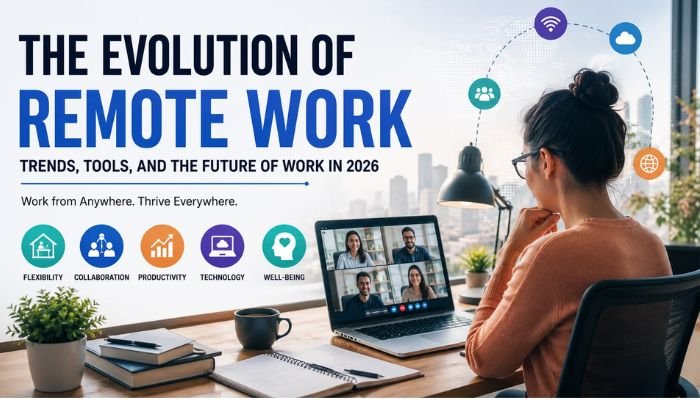
The corporate landscape of 2026 has witnessed a major stabilization in how, where, and when professional work is conducted. Over the past decade, the conceptual framework of employment has shifted from a rigid physical presence in centralized office buildings to a highly dynamic, digitally mediated ecosystem. What was once treated as an emergency survival tactic has matured into a core architectural pattern for the global labor market[1]. Today, the evolution of remote work is no longer defined by simple work-from-home experiments. Instead, it is governed by structured distributed systems, advanced artificial intelligence integrations, and formalized workplace models[2].
For executive teams, HR leaders, and engineers, navigating the complexity of modern workplace dynamics requires moving past outdated generalizations. Recent data indicates that among remote-capable roles, the hybrid work model has become the primary standard, with over 52% of employees working in a combined home-and-office capacity[3]. Conversely, companies that insist on full-time, on-site mandates find themselves facing distinct hurdles: on-site job postings take roughly 41% longer to fill than hybrid or remote equivalents[4].
Understanding this structural transformation is essential for organizations aiming to build resilient, high-performing teams. This guide provides an in-depth analysis of the history, metrics, technologies, advantages, risks, and cultural shifts defining the future of remote work in 2026.
Table of Contents
The Remote Work Landscape in 2026: Core Statistics and Realities
The Triple Benefits of Remote Work: Individual, Organizational, and Societal
The Realities and Hurdles: Ongoing Challenges of Distributed Work
Real-World Case Studies: How Forward-Thinking Companies Succeed
The Historical Trajectory: How We Got Here
The evolution of remote work can be understood through distinct developmental phases, each marked by specific technological milestones and macroeconomic forces.
┌────────────────────────────────────────────────────────┐
│ Pre-2020: The Era of "Telecommuting"                   │
│ • Rare privilege, restricted to niche tech roles      │
└───────────────────────────┬────────────────────────────┘
                            │
┌───────────────────────────▼────────────────────────────┐
│ 2020–2022: The Crisis Transition                       │
│ • Rapid, uncoordinated adoption of work-from-home      │
└───────────────────────────┬────────────────────────────┘
                            │
┌───────────────────────────▼────────────────────────────┐
│ 2023–2024: The Return-to-Office Friction               │
│ • Pushback from executives, security struggles         │
└───────────────────────────┬────────────────────────────┘
                            │
┌───────────────────────────▼────────────────────────────┐
│ 2025–2026+: The Standardized Hybrid Era                │
│ • Data-driven hybrid policies, integrated AI workflows │
└────────────────────────────────────────────────────────┘
The Telecommuting Origin (Pre-2020)
Prior to 2020, remote work—often termed “telecommuting”—was largely an exception[5]. Pioneered conceptually in the 1970s by Jack Nilles as a solution to traffic congestion and fuel crises, the early models were limited by dial-up internet and basic telephone networks. By the mid-2010s, broadband expansion, early cloud infrastructure (SaaS), and messaging systems like Slack allowed some startups and technology organizations to trial distributed structures. However, traditional corporations maintained the core belief that physical presence was directly linked to oversight, accountability, and team culture[5].
The Force-Multiplier Period (2020–2022)
The arrival of the COVID-19 pandemic accelerated decades of digital evolution into a matter of weeks[5]. Millions of organizations were forced to migrate to work from home trends overnight. Videoconferencing tools like Zoom and Microsoft Teams quickly became the central operating platforms for distributed teams[6]. This phase was defined by high flexibility, but also significant friction: teams struggled with Zoom fatigue, fragmented communication, inadequate home office setups, and blurred lines between professional and personal life[7].
The Friction and Return-to-Office Push (2023–2024)
As immediate health concerns decreased, a clear divide opened between executive leadership and the workforce. Eager to maximize real estate investments and restore traditional oversight, many legacy organizations enforced rigid return-to-office (RTO) mandates. This period was marked by high-profile corporate announcements, employee petitions, and quiet quitting. Distributed teams realized that a simple copy-paste of on-site practices into digital spaces led to continuous back-to-back video meetings, micromanagement, and a decline in productivity.
The Era of Standardized Hybrid Integration (2025–2026)
In 2026, the workplace has reached a mature, data-driven equilibrium[6]. The debate is no longer about whether flexibility should exist, but how to structure it sustainably[8]. Organizations have formalized clear policies, utilizing specialized remote work tools, objective outcome-based tracking, and deep AI support to bridge the physical-digital divide[9][10]. The workforce has settled into a structured multi-tier framework, prioritizing async communication over endless real-time coordination[11].
The Remote Work Landscape in 2026: Core Statistics and Realities
Understanding the modern distributed workforce requires analyzing empirical data rather than relying on standard corporate messaging. The following figures paint a clear picture of the workforce landscape in 2026.
Primary Distribution of Remote-Capable Roles
According to global data collected in early 2026, the allocation of full-time, remote-capable employees has stabilized[3]:
52% Hybrid: Employees divide their work week between remote environments and corporate offices[3].
26% Exclusively Remote: Employees operate completely out-of-office, utilizing home spaces or co-working centers[3].
22% Exclusively On-Site: Employees perform their tasks entirely within physical company buildings[3].
U.S. Remote-Capable Work Location Distribution (Gallup 2026):
┌──────────────────────────────────────┬──────────────────┬──────────────┐
│               Hybrid                 │ Fully Remote     │ Fully On-Site│
│                52%                   │      26%         │     22%      │
└──────────────────────────────────────┴──────────────────┴──────────────┘
The Real Value of Workplace Flexibility
The economic value of flexible arrangements is now well established. Research led by Nicholas Bloom of Stanford University indicates that workers value hybrid setups at roughly 8% of their salary[12]. This premium has shaped recruitment and retention metrics:
40% of employees report they would begin searching for a new position if flexible arrangements were removed[12].
29% of workers would actively plan to exit their role if forced to return to fully on-site arrangements[7].
Only 16% of professionals list a fully in-office role as their ideal working setup[13].
Job Market Discrepancy
While demand for flexible arrangements remains high, the overall layout of new job postings has shifted toward on-site requirements[14]. Data from Robert Half indicates that across all newly listed roles (including those that are not remote-capable, such as retail, clinical, and physical services), 77% of postings are fully on-site, 19% are hybrid, and 4% are fully remote[14]. This disparity has led to intense competition for highly flexible roles, with candidate application volumes for fully remote roles vastly outstripping on-site positions[14][15].
The Triple Benefits of Remote Work: Individual, Organizational, and Societal
Deploying a modern distributed work structure yields clear advantages that extend across individuals, organizations, and communities.
┌────────────────────────────────────────────────────────┐
│              The Triple Benefit Framework              │
├───────────────────┬──────────────────┬─────────────────┤
│    Individual     │  Organizational  │    Societal     │
│ • Saved commute   │ • Global talent  │ • Lower carbon  │
│ • Health control  │ • Real estate    │ • Regional economic│
│ • Time autonomy   │ • Tech maturity  │   redistribution│
└───────────────────┴──────────────────┴─────────────────┘
Individual Advantages: Restoring Time Autonomy
The most direct impact of flexible arrangements is the return of time and agency to the employee.
Elimination of Commute Friction: The average worker saves between 50 to 90 minutes daily by avoiding typical traffic and transit delays. This saved time is often repurposed toward sleep, exercise, family interaction, or continuous learning[15].
Improved Mental Health and Well-being: Standard indicators show that 82% of remote professionals report a positive impact on their mental wellness, with 79% citing reduced daily stress[16].
Localized Environment Control: Remote spaces allow individuals to adjust lighting, temperature, noise levels, and seating ergonomics to their personal preferences, avoiding the ambient distractions of traditional open-office floors.
Organizational Advantages: Talent Access and Cost Optimization
For enterprises, moving past physical geographic constraints changes the metrics of business operations[5].
Geographically Distributed Recruiting: Companies are no longer constrained by hiring within a 30-mile radius of a physical office building[5]. This allows teams to find specialized technical, operational, and clinical skills anywhere in the world[5].
Physical Real Estate Optimization: By moving to hot-desking, shared desks, and smaller corporate footprints, companies can significantly reduce their commercial real estate leases, property taxes, and office maintenance overhead.
Enhanced Continuity of Operations: Organizations with distributed setups are inherently more resilient to localized disruptions, such as severe weather, power grid failures, or transportation strikes, as the workforce is not dependent on a single point of failure.
Societal and Environmental Impact: Sustainability and Regional Revitalization
The shift toward distributed work also supports broader environmental and social goals.
Reduced Commuter Carbon Emissions: Fewer daily car journeys and reduced energy demands from large, under-utilized commercial high-rises directly lower municipal greenhouse gas outputs.
Regional Economic Redistribution: As high-earning knowledge workers move away from crowded, expensive urban centers, they spend their income in suburban and rural areas. This revitalizes local services, schools, and real estate markets, leading to more balanced regional economic growth.
Increased Access to Diverse Talent Pools: Distributed setups lower barriers to entry for groups who may find traditional offices challenging, such as parents, caregivers, and individuals with physical disabilities or neurodivergent profiles.
The Realities and Hurdles: Ongoing Challenges of Distributed Work
While the benefits are clear, operating a distributed system introduces distinct structural and psychological challenges that require deliberate mitigation.
┌────────────────────────────────────────────────────────┐
│            The Distributed Friction Matrix             │
├───────────────────┬──────────────────┬─────────────────┤
│    Psychological  │  Organizational  │    Technical    │
│ • Social isolation│ • Culture fade   │ • Endpoint security│
│ • Overwork burnout│ • Career pathing │ • Data leakages │
│ • Lack of boundaries│ • Siloed data   │ • Latency drops │
└───────────────────┴──────────────────┴─────────────────┘
Psychological Hurdles: Isolation and Blur
Without a shared physical workspace, individuals can experience distinct mental health challenges.
The Sensation of Isolation: Roughly 46% of workers express concerns about missing out on casual, spontaneous interactions with peers[7]. Long-term remote setups without clear team connection points can lead to feelings of professional loneliness.
The Unregulated Workday: When the home and office occupy the same physical space, setting clear boundaries becomes difficult. Up to 33% of remote employees struggle to disconnect, often working late into the evening, which can lead to eventual burnout[7].
Communication Misinterpretations: Text-based messaging lacks tone, body language, and immediate context. A brief remark on Slack or Teams can easily be misread as critical or dismissive, creating subtle friction within teams.
Organizational Hurdles: Cultural Decay and Pathing Disparities
Distributed environments require redesigned management strategies.
The Risk of Cultural Decay: Building a cohesive company culture is highly challenging in distributed environments. Without regular, intentional touchpoints, employees can begin to view their relationship with their employer as purely transactional, which can impact long-term retention.
Proximity Bias: Managers are naturally prone to evaluating those they physically interact with more favorably than those they only see on screen. This proximity bias can result in remote employees being passed over for promotion or key assignments in favor of less-qualified on-site peers.
Loss of Casual Learning: In a physical office, junior employees learn through passive observation—hearing how seniors handle difficult calls or resolve technical incidents. Recreating this accidental knowledge transfer in a virtual environment requires deliberate effort.
Security and Technical Hurdles: Protecting Distributed Networks
Securing a remote network introduces complex technical challenges for IT teams.
Endpoint Vulnerabilities: Distributed teams access corporate assets from home routers, public Wi-Fi access points, and sometimes personal devices, which increases the potential attack surface.
Data Leakage and Access Control: Managing who can view, copy, or download sensitive proprietary data across different geographic locations requires robust, real-time access security frameworks.
Home Office Setup Disparities: Varied home internet speeds, power outages, and poor hardware setups can lead to unequal productivity and service interruptions.
The Technology Ecosystem: Modern Remote Work Tools of 2026
The success of a distributed organization depends heavily on its remote work tools[11]. Today’s collaboration ecosystems have moved past simple screen-sharing programs to become fully integrated, secure environments[6].
┌────────────────────────────────────────────────────────┐
│                 Digital Work Platform                  │
├────────────────────────────────────────────────────────┤
│ • Interactive Collaboration Layer (Miro, Figma)        │
│ • Asynchronous Knowledge Base (Notion, GitBook)        │
│ • High-Fidelity Video & Meeting (Zoom, Neat, Teams)   │
│ • Event & Task Coordination Engine (Linear, Jira)      │
└────────────────────────────────────────────────────────┘
Synchronous Communication Platforms
High-Equity Videoconferencing: Zoom, Microsoft Teams, and Google Meet now feature deep AI camera tracking, automated sound isolation, and direct transcription integrations. This ensures that remote participants have equal visibility and voice in hybrid meeting rooms[6].
Dynamic Virtual Workspaces: Tools like Gather and Tandem provide interactive, 2D office layouts where team members can “walk up” to desks, run casual stand-ups, and hold impromptu huddles, helping to recreate the social dynamics of physical office environments.
Asynchronous Collaboration Engines
Unified Information Repositories: Notion, Coda, and Confluence serve as the primary sources of truth for team documentation. These platforms allow teams to build clear, version-controlled handbooks and run collaborative, real-time editing sessions.
Structured Project Tracking: Platforms like Linear, Monday.com, and Jira Product Discovery are designed to track complex development cycles. By focusing on explicit ticket ownership and clear delivery dates, these tools reduce the need for constant progress-check meetings.
Interactive Design and Contextual Sharing: Figma, FigJam, and Miro serve as collaborative virtual whiteboards, allowing distributed design, engineering, and product teams to brainstorm and prototype in real time.
Asynchronous Rich-Media Sharing
Contextual Video Messaging: Loom and Vidyard enable team members to record quick screen shares and walkthroughs, which can be viewed when convenient. This is highly effective for explaining complex code, reviewing design mockups, or sharing project status updates across different time zones.
Flexible Audio Messaging: Slack Huddles and Yac provide fast, lightweight audio communication channels, allowing teams to quickly sync without the scheduling overhead of formal video meetings.
Remote Work Collaboration Software Comparison Matrix

The table below compares the primary collaboration platforms used in modern distributed environments.
| Tool Name | Core Category | Latency Sensitivity | Security Integration | Best Use Case | Monthly Pricing (Est.) |
| Slack | Instant Messaging | Medium (Real-time chat) | High (Enterprise Key Management) | Real-time team chat, informal check-ins, app integrations. | $8 – $15+ per user |
| Linear | Project Management | Low (Asynchronous) | High (SOC 2, SAML SSO) | Fast, highly structured software development tracking. | $8 – $14 per user |
| Loom | Video Handoff | Low (Asynchronous) | Medium (Workspace access controls) | Walkthroughs, design reviews, and status updates across time zones. | $10 – $15 per user |
| Gather | Virtual Office | High (Real-time video) | Medium (SSO, restricted domains) | Recreating social office dynamics, paired programming. | $7 – $12 per user |
| Miro | Virtual Whiteboard | High (Real-time collaboration) | High (Enterprise-grade admin controls) | Brainstorming sessions, architectural diagramming, journey mapping. | $8 – $16 per user |
| Microsoft Teams | Unified Suite | High (Real-time calls) | Exceptionally High (FedRAMP, Advanced Compliance) | Enterprise-scale video calls, messaging, and document sharing. | Included in M365 suites |
| Notion | Knowledge Base | Low (Asynchronous) | High (Enterprise workspaces, TLS) | Company wikis, project documentation, meeting summaries. | $8 – $15 per user |
The AI Revolution: Supercharging Distributed Teams
The rapid integration of artificial intelligence is fundamentally reshaping how distributed teams collaborate[10]. Rather than replacing human workers, AI tools act as essential assistants, handling routine administrative tasks and freeing up team members for high-value strategic work[17].
┌────────────────────────────────────────────────────────┐
│               AI-Assisted Remote Work                  │
├───────────────────┬──────────────────┬─────────────────┤
│    Meeting Prep   │   Task Handling  │  Insights Engine│
│ • Live transcription│ • Automate ticket│ • Global skill  │
│ • Action items    │   updates        │   mapping       │
│ • Multilingual voice│ • Code generation│ • Sentiment tracking│
└───────────────────┴──────────────────┴─────────────────┘
Automated Meeting Intelligence
AI tools have transformed video meetings from passive sessions into highly actionable resources:
Automated Summaries: Tools like Otter.ai, Fathom, and Fireflies.ai join calls as silent observers, transcribing conversations in real time, drafting summaries, and extracting action items with assigned owners.
Advanced Audio Isolation: AI-powered noise cancellation models (such as Krisp) filter out ambient background noises—like lawnmowers, barking dogs, or family traffic—ensuring professional audio quality from any location.
Real-time Multilingual Translation: Advanced transcription layers translate speech instantly during global calls, allowing international team members to participate in their native languages.
Intelligent Task and Code Automation
AI Pair Programming: Tools like GitHub Copilot and Cursor accelerate software development by suggesting code blocks, drafting unit tests, and explaining legacy structures directly within the developer’s environment.
Automated Project Tracking: Platforms use AI to analyze ticket updates and team conversations, highlighting bottlenecked tasks, predicting project delivery dates, and generating release notes automatically.
Enterprise Knowledge Systems
Semantic Search: Internal AI search engines (like Glean and Guru) connect directly to an organization’s fragmented knowledge systems—including Slack, Google Drive, Notion, and Jira. Employees can ask natural-language questions (e.g., “What is our latest policy on travel reimbursement?”) and receive accurate, cited answers instantly, reducing time spent searching through old documentation.
The Hybrid Work Model: Standardizing the Flexible Schedule
The hybrid work model has emerged as the dominant architecture for remote-capable teams, successfully balancing flexibility with the benefits of in-person collaboration[6].
┌────────────────────────────────────────────────────────┐
│                 Hybrid Schedule Types                  │
├───────────────────┬──────────────────┬─────────────────┤
│    Structured     │   Team-Directed  │  Fully Flexible │
│ • Specific days   │ • Mandated by department        │ • Autonomy to   │
│ • High uniformity │ • Aligned to cycle              │   choose location│
└───────────────────┴──────────────────┴─────────────────┘
Dynamic Coordination Challenges
While highly popular, hybrid models introduce a distinct coordination challenge: the “empty office” problem. Employees often complain about commuting to an office only to spend their day on video calls with remote teammates. To prevent this, organizations are adopting more intentional, structured hybrid schedules:
Fixed Corporate Schedule (e.g., “Tuesday–Thursday”): The organization specifies the exact days everyone must be in the office. This ensures maximum overlap for team meetings and collaborative work, but limits employee schedule flexibility.
Departmental/Team-Directed Schedule: Individual team leads determine when their team should meet in person based on current project phases (such as design sprints, launch weeks, or quarterly planning).
Individual-First Schedule: Employees have the autonomy to choose when to visit the office. While this offers the highest level of flexibility, it requires robust digital tools to coordinate which team members will be on-site on any given day.
Reimagining Physical Offices as Collaboration Hubs
To support hybrid models, companies are redesigning traditional corporate spaces:
Fewer Cubicles, More Social Spaces: Rows of individual cubicles are being replaced with collaborative spaces, including open booths, project war rooms, and casual lounge areas.
Advanced Hybrid Meeting Rooms: Conference rooms are equipped with multiple camera arrays, high-quality microphone grids, and large, eye-level displays. This ensures remote participants are represented at eye level and can be clearly seen and heard during hybrid discussions.
Shared Desk Management Systems: Smart desk booking applications allow employees to reserve workstations, view where their close teammates are sitting, and check office capacity limits before leaving home.
Productivity vs. Presence: Rethinking Performance Metrics
Transitioning to remote and hybrid work requires a fundamental shift in how employee performance is tracked and evaluated[9].
┌────────────────────────┐
               │   Traditional Metric   │
               │   • Hours logged       │
               │   • Active green dot   │
               │   • Office visibility  │
               └───────────┬────────────┘
                           │
                           ▼
               ┌────────────────────────┐
               │     Modern Metric      │
               │   • Code merged        │
               │   • Tickets resolved   │
               │   • Document accuracy  │
               └────────────────────────┘
The Pitfalls of Presence Monitoring
Legacy management strategies often rely on “presence-based metrics”—measuring how early an employee arrives, how late they stay, or how quickly they respond to messaging notifications. In remote environments, this focus on presence can encourage counterproductive behaviors:
The Rise of Activity Generators: Software that simulates keystrokes or mouse movements to maintain an “active green dot” on messaging platforms.
Faux-Productivity Behaviors: Employees prioritize sending rapid, low-value chat messages or scheduling unnecessary meetings simply to maintain visible activity levels.
Transitioning to Outcome-Based Performance Metrics
To build a high-performance distributed culture, organizations must shift to objective, outcome-based key performance indicators (KPIs)[9]:
| Professional Discipline | Legacy Presence-Based Metric | Modern Outcome-Based Metric |
| Software Engineering | Hours spent active in the IDE; total lines of code written. | Pull requests merged; pull request review cycle time; system uptime; lead time for changes. |
| Customer Support | Time logged in active phone queues. | Customer satisfaction rating (CSAT); first-contact resolution rate; support documentation updates. |
| Content Marketing | Daily desk hours; number of meetings attended. | Monthly organic traffic growth; conversion rate of landing pages; content quality score. |
| Sales Operations | Total outbound calls made daily. | Sales pipeline velocity; client retention rate; average deal size; accuracy of CRM data. |
Asynchronous Team Collaboration: Workflows and Protocols
To prevent information fragmentation and meeting fatigue, mature distributed organizations operate with an asynchronous-first communication model[11]. This approach ensures that work can progress without requiring team members to be online simultaneously.
┌────────────────────────────────────────────────────────┐
│             Asynchronous Handoff Lifecycle             │
├────────────────────────────────────────────────────────┤
│ 1. Define Request Context & Expected Outcomes          │
│ 2. Package Materials (Figma, Loom Video, Code Link)    │
│ 3. Specify Target Date & Action Item Owners            │
│ 4. Recipient Reviews and Updates Progress Digitally    │
└────────────────────────────────────────────────────────┘
The Core Asynchronous Communication Workflow
Draft Detailed Requests: Before assigning a task, the requester writes out a comprehensive brief, detailing the context, goals, technical requirements, and explicit definition of done.
Package Contextual Walkthroughs: The requester records a quick screen-share video (using Loom or similar tools) to walk through design prototypes, code files, or complex documents. This provides clear visual and auditory context without needing a live meeting.
Establish Clear Ownership: The task is assigned inside a project management system (such as Linear or Jira) with explicit deadlines and defined owners, ensuring everyone is clear on their responsibilities.
Review and Update Asynchronously: The recipient reviews the materials at a time that works with their focus schedule, executes the required work, and updates the task status digitally, allowing the cycle to repeat without requiring real-time handoff meetings.
Slack and Teams Notification Protocols
To support deep focus work, teams must establish clear guidelines for instant messaging platforms:
Assume Asynchronous Response Times: Unless a message is explicitly marked with an urgent tag (e.g., [URGENT]), team members should expect responses within a 2-to-4 hour window rather than expecting instant replies.
Use Threads for Contextual Discussions: Keep main channels clean by running specific project discussions, design feedback, or incident reviews in threaded conversations.
Set Clear Availability Statuses: Encourage team members to update their status icons when they are in deep focus mode, out of the office, or traveling, and to snooze notifications during non-working hours to maintain healthy boundaries.
Standard Asynchronous Project Update Template
This template serves as a standardized communication format for distributed team handoffs, ensuring all essential details are captured clearly.
# 📋 Project Status Update: Enterprise Payment Integration

## 🗓️ Update Date
October 14, 2026

## 👤 Owner
Aris Thorne, Principal Systems Engineer

## 📈 Status Indicator
🟢 **On Track** (Target Deployment: October 28, 2026)

---

## 🛠️ Key Milestones Completed This Sprint
*   Completed API integration with the new Stripe checkout flow.
*   Drafted database schema migrations for multi-region currency support.
*   Configured secure webhooks to handle real-time payment notifications.

## 🚧 Current Blockers or Risks
*   **Risk**: Minor latency spike detected during database load tests in the EU region.
    *   *Mitigation*: Testing read replicas to optimize query execution times.

---

## 🎥 Video Context Walkthrough
*   [Loom Video: Payment Flow Demonstration (3:45)](https://www.loom.com/share/placeholder-id-demo)
    *   *Password*: `demo-payment-2026`

---

## 🎯 Direct Action Items Required
*   **@Devin-UX-Lead**: Please review the payment transition animation in the Loom video above and verify it aligns with our updated UI guidelines.
    *   *Target Date*: October 19, 2026
*   **@Sarah-SecOps**: Please audit the webhook signature verification code in the PR below.
    *   *PR Link*: `https://github.com/org/payments/pulls/104`
    *   *Target Date*: October 21, 2026
Real-World Case Studies: How Forward-Thinking Companies Succeed
Analyzing how leading organizations navigate distributed work provides practical lessons and proven blueprints for success.
┌────────────────────────────────────────────────────────┐
│                Organizational Blueprints               │
├───────────────────┬──────────────────┬─────────────────┤
│      GitLab       │      Stripe      │    Automattic   │
│ • Handbook-first  │ • Hub-centric    │ • Absolute async│
│ • No physical office│ • Global hubs  │ • Global meetup │
│ • Complete async  │ • Local office   │ • Travel stipend│
└───────────────────┴──────────────────┴─────────────────┘
GitLab: The Handbook-First Blueprint
GitLab is one of the world’s largest all-remote organizations, with thousands of team members spread across dozens of countries.
The Strategy: GitLab operates with a “handbook-first” philosophy. Every process, policy, design guideline, and business decision must be documented in a publicly accessible, searchable web handbook. If a policy is not documented in the handbook, it does not exist.
The Outcome: This complete documentation of company knowledge eliminates the need for informational meetings. Employees have total autonomy over their schedules, and onboarding is largely self-directed, allowing the company to scale operations smoothly across global time zones.
Stripe: The Hub-Centric Remote Engineering Group
Stripe, a global payment infrastructure provider, launched a dedicated “Remote Engineering Hub” to scale its engineering organization.
The Strategy: Rather than treating remote engineers as isolated individuals, Stripe established them as a dedicated, virtual engineering hub, with equal budget, headcount, and organizational influence as their physical office hubs (such as San Francisco, Dublin, and Singapore).
The Outcome: This structure ensured remote engineers were not sidelined by office-centric discussions. By establishing remote work as a core organizational hub, Stripe successfully attracted top-tier global systems engineering talent, accelerating product delivery.
Automattic: The Distributed Work Ecosystem
Automattic, the company behind WordPress.com and Tumblr, has operated as a fully distributed workforce since its inception.
The Strategy: Automattic focuses heavily on asynchronous, text-based communication, using internal blogs (called P2) to share ideas, document decisions, and run project discussions. To maintain human connection, they host mandatory, week-long division meetups once a year and provide employees with travel stipends to collaborate in person when needed.
The Outcome: This model reduces organizational dependence on physical real estate, allows the company to recruit top-tier creative talent globally, and maintains a highly resilient corporate culture built around clear outcomes and written documentation.
Future Trends: What Lies Beyond 2026
As distributed work models continue to mature, several key trends are emerging that will shape the next decade of professional work[2].
┌────────────────────────────────────────────────────────┐
│               The Next Wave of Innovation              │
├────────────────────────────────────────────────────────┤
│ • VR & Spatial Workspace Immersion                     │
│ • Dynamic Global Payroll and Legal Visas               │
│ • Decentralized Co-working Micro-Hubs                  │
└────────────────────────────────────────────────────────┘
Virtual Reality and Spatial Workspace Immersion
While video calls remain the standard today, developments in spatial computing are paving the way for more immersive virtual collaboration:
High-Fidelity Virtual Offices: Teams will be able to collaborate in realistic, three-dimensional spaces, allowing engineers to interact with virtual whiteboards and manipulate complex 3D models in real time[9].
Accurate Non-Verbal Communication: Advanced spatial avatars can capture subtle eye movements, hand gestures, and head tilts, helping to reduce the cognitive load of video screens and making virtual meetings feel more natural.
Dynamic Global Payroll and Legal Visas
The rise of digital nomads has created a need for more robust global compliance frameworks[2][18]:
Expansion of Digital Nomad Visas: Over 60 countries now offer dedicated digital nomad visa programs, making it easier for professionals to live and work abroad legally[2][18].
Employer-of-Record (EoR) Platforms: Services like Deel, Remote, and Oyster continue to mature. These platforms allow companies to hire employees in other countries legally, handling local payroll, tax withholdings, and benefits compliance automatically.
Decentralized Co-working Micro-Hubs
To address the challenges of work-from-home isolation, suburban neighborhoods are seeing an increase in decentralized co-working options:
Neighborhood Micro-Hubs: Small, professional co-working spaces located in residential neighborhoods, offering high-speed internet, ergonomic workstations, and quiet phone booths close to home.
Shared Workspace Subscriptions: Companies are offering flexible co-working passes as standard employee benefits, allowing team members to work from a professional office environment whenever they need a change of scenery.
Comprehensive Glossary of Distributed Work Terms
Asynchronous Communication: A communication method where messages are sent without expecting an immediate response, allowing team members to process and reply at a time that works best for their schedule.
Employer of Record (EoR): A third-party organization that legally employs individuals on behalf of another company, handling local payroll, taxes, and regulatory compliance.
Hot-Desking: An office sharing system where desks are allocated on demand as needed, rather than being assigned permanently to individual employees.
Hybrid Work Model: A flexible working arrangement that combines remote work from home or co-working spaces with scheduled in-office days[19].
Micro-Hub: A small, localized co-working space located close to residential areas, serving as an alternative to both home offices and large central corporate headquarters.
Presence Bias: The natural tendency for managers to evaluate and promote on-site employees more favorably than remote team members, simply due to their physical presence.
Quiet Quitting: A workplace trend where employees choose to perform only the core duties outlined in their job descriptions, rejecting unpaid overtime and extra responsibilities to maintain personal boundaries.
Resumability: A modern web framework capability that serializes application state directly into the HTML payload, allowing pages to load and become interactive instantly without needing client-side hydration.
Retrieval-Augmented Generation (RAG): An architectural pattern that retrieves contextually relevant information from an external database to ground and improve the outputs of Large Language Models (LLMs).
Synchronous Communication: Real-time communication that requires all participants to be present and active at the same time, such as phone calls, video meetings, or live chat.
Time-Zone Overlap: The specific hours during the day when team members working in different geographic regions are online simultaneously, used to schedule live syncs and team meetings.
Workplace Surveillance (Bossware): Software installed on employee devices to monitor activity—such as tracking keystrokes, capturing screens, or recording webcam feeds—often used by organizations concerned about remote productivity.
Frequently Asked Questions (FAQs)
How can organizations measure remote work productivity accurately without micromanaging?
Organizations should shift their focus from tracking hours logged to measuring concrete business outcomes. By setting clear Key Performance Indicators (KPIs) tailored to each role—such as code merged, support tickets resolved, or marketing targets achieved—managers can evaluate performance objectively. This focus on outcomes removes the need for invasive surveillance tools, building a culture of trust and professional accountability.
What are the main differences between hybrid and fully remote work models?
A fully remote model allows employees to work from any location globally, removing the need for a physical corporate office and relying heavily on asynchronous communication. A hybrid model combines remote work with scheduled days in a physical office, allowing teams to balance the flexibility of working from home with the benefits of in-person collaboration.
How can distributed teams build a strong company culture without a physical office?
Building a strong distributed culture requires deliberate, structured effort. Successful organizations focus on creating clear, accessible documentation (such as a company handbook), establishing regular virtual rituals (like weekly all-hands or social channels), and providing opportunities for in-person collaboration through annual team retreats or local micro-meetups.
What is proximity bias, and how can companies prevent it?
Proximity bias is the tendency for managers to favor employees they see physically in the office over those working remotely. To prevent this bias, companies should establish standardized, objective performance evaluation frameworks, run performance reviews asynchronously, and ensure that key career advancement opportunities are open and accessible to all team members, regardless of their working location.
How do Employer of Record (EoR) platforms simplify global hiring?
Employer of Record (EoR) platforms act as the legal employer of your international workers, taking on the responsibility for local payroll, tax compliance, benefits administration, and labor laws. This allows companies to recruit and hire top talent from anywhere in the world without the complexity and cost of setting up local legal entities in every country.
What are the main security risks of remote work, and how can they be managed?
The main security risks include insecure home networks, unpatched personal devices, and vulnerable data access points. Organizations can mitigate these risks by adopting a Zero-Trust security model, requiring multifactor authentication (MFA) for all corporate services, providing secure Virtual Private Networks (VPNs), and running regular cybersecurity training for all employees.
How can remote employees prevent burnout and maintain a healthy work-life balance?
Remote employees can manage burnout by setting clear physical and digital boundaries. This includes setting up a dedicated workspace separate from living areas, establishing consistent starting and ending times, updating status settings on messaging apps to snooze notifications after hours, and taking regular breaks throughout the day.
Why do some executives continue to push for return-to-office (RTO) mandates?
Executives often favor in-person work due to long-term commercial real estate commitments, a belief that physical presence naturally fosters collaboration, and a reliance on traditional, presence-based management styles. However, data indicates that rigid mandates can lead to talent loss and recruiting challenges, prompting many forward-thinking companies to adopt flexible, hybrid models instead.
What role does artificial intelligence play in remote work?
AI tools support remote teams by automating administrative tasks, summarizing video meetings, transcribing conversations, and organizing internal company knowledge bases. This allows distributed employees to access the information they need quickly and focus their time on high-value, strategic work.
How can hybrid teams coordinate office days effectively?
Hybrid teams can coordinate office days by using shared calendar apps, department scheduling guidelines, or specialized desk booking software. These tools allow employees to see when their close teammates plan to visit the office, ensuring their in-person days are productive and collaborative.
Conclusion
The evolution of remote work has transformed the modern business landscape. The conversation has shifted from whether flexible arrangements are viable to how organizations can implement them successfully to build high-performing, resilient teams[6].
By adopting asynchronous-first workflows, using modern collaboration tools, and focusing on objective, outcome-based performance metrics, companies can build highly productive distributed cultures. The future of work belongs to organizations that treat flexibility not as a temporary perk, but as a strategic advantage to attract and retain top-tier talent globally.
References
[15] Vertex AI Search / YouTube video summary: “Remote Work Revolution: What You NEED to Know for 2026!”
[5] Splashtop: “Top 10 Trends That Will Redefine Remote Work in 2026”
[14] Robert Half: “Remote work statistics and trends for 2026”
[9] We360.ai: “Remote Work Future Trends 2026: What Smart Companies Are Doing Differently”
[1] Jobbers.io: “Remote work statistics 2026: 100 data points from global surveys”
[17] Crossover: “3 Remote Work Trends (2026) Everyone’s Getting Wrong!”
[8] Toolshero: “The Future of Remote Work in 2026”
[18] PACE Recruit: “The Future of Remote Work: Digital Nomad Success in 2026”
[2] Scribd: “Future of Remote Work 2026 | PDF | Economies”
[19] Archie: “80+ Hybrid Work Statistics in 2026: Productivity & Preferences”
[3] Gallup: “Global Indicator: Hybrid Work”
[6] Neat: “Remote Work in 2026: Key Statistics Explained”
[7] SurveyMonkey: “The Workplace Today: 2026 Remote And Hybrid Work Trends”
[12] Speakwise: “Hybrid Work Statistics 2026: Schedules, Productivity Outcomes, and the Return-to-Office Debate”
[16] Chanty: “Remote Work Statistics 2026: The Data Behind Hybrid Success”
[4] KORE1: “Remote Work Statistics 2026: What Employers Need to Know”
