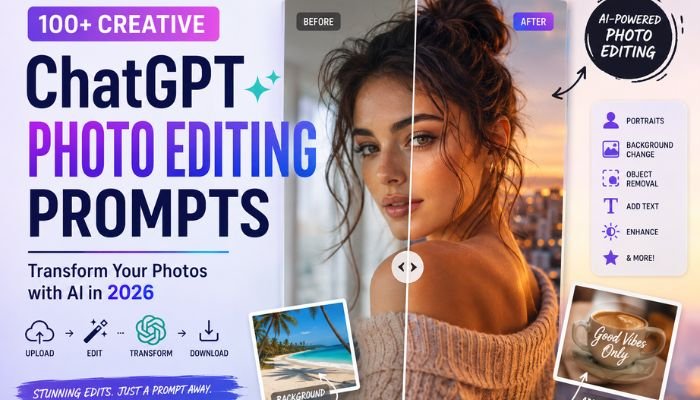
A great photo doesn’t always need complicated software. Today, AI photo editing lets you describe a desired change in ordinary language. You can upload a picture and request a cleaner background, brighter lighting, sharper details, or a completely different visual style.
For creators, marketers, photographers, and everyday users, ChcatGPT image editing can turn a simple picture into polished social content. The key is specificity. Describe the subject, requested change, lighting, composition, mood, and details that should remain untouched.
Key Takeaways
Strong photo editing prompts tell the image system exactly what to change. They also explain what should stay unchanged. This approach helps protect faces, clothing, logos, colors, and important visual details.
For better results, combine a clear objective with specific instructions, suitable lighting, a defined background, and the correct aspect ratio. Small follow-up requests can then refine the result without rebuilding everything.
What Is ChatGPT Photo Editing and How Does It Work?
ChatGPT photo editing uses conversational instructions to modify an uploaded picture. Instead of manually adjusting layers or masks, you describe the desired result. This makes conversational photo editing accessible to people without traditional editing experience.
A typical workflow starts when you upload a photo and describe the change. You might request object removal, background replacement, lighting adjustments, or a new visual style. You can also ask for targeted edits when only one area needs attention.
What Can You Edit in a Photo With ChatGPT?
The possibilities cover both practical corrections and imaginative transformations. You can remove unwanted objects, change scenery, improve lighting, adjust composition, add text, or create different visual treatments.
Portraits can receive new backgrounds or refined lighting. Product images can receive cleaner presentation. Old photographs can receive restoration work. These creative transformations make conversational editing useful for social media, personal projects, and commercial content.
| Editing task | Common use |
|---|---|
| Background replacement | Portraits and product photos |
| Object removal | Cleaning distracting scenes |
| Lighting adjustment | Dark or flat photographs |
| Text editing | Posters and social graphics |
| Style transformation | Creative portraits |
| Image enhancement | Sharper and cleaner visuals |
How to Write Effective ChatGPT Photo Editing Prompts
Start with the result you want rather than describing every possible detail. Then explain the subject, environment, lighting, mood, and composition. Include preservation instructions when identity or product accuracy matters.
For example, say “replace the background with a modern office while keeping the face, clothing, pose, and skin tone unchanged.” This is stronger than simply asking for a better photo. Clear realistic edits usually come from clear boundaries.
The Best ChatGPT Photo Editing Prompt Formula
A reliable formula combines the action, subject, style, lighting, background, preservation details, and output format. This gives the model a useful visual blueprint without unnecessary wording.
| Prompt element | Example |
|---|---|
| Action | Transform |
| Subject | Portrait |
| Style | Cinematic |
| Lighting | Soft directional |
| Background | Blurred city |
| Preserve | Face and hairstyle |
| Output | 4:5 composition |
A useful photo prompt formula is: Action + Subject + Style + Lighting + Background + Details to Preserve + Aspect Ratio. This structure works across portraits, products, social images, and creative edits.
25+ Trending ChatGPT Photo Editing Prompts for Instagram
Instagram favors strong visual composition. A good edit should make the subject immediately recognizable while leaving enough breathing room around important details. Instagram photo editing prompts should therefore mention framing, lighting, mood, and intended placement.
For feed posts, a 4:5 composition often gives the subject more vertical space. Stories and Reels need a taller frame. Always consider interface elements before placing text or important facial details near the edges.
Best ChatGPT Prompts for Viral Instagram Photo Edits
Trendy edits work best when they have a recognizable visual direction. Instead of promising a “viral” result, describe the aesthetic clearly. The following approaches can create polished Instagram photo edits without making the image look artificial.
| Style | Visual direction |
|---|---|
| Film noir | Dramatic shadows and film grain |
| Soft girl | Pastel colors and gentle light |
| Baddie | Glossy styling and urban setting |
| K-drama | Soft cinematic atmosphere |
| Editorial | Fashion magazine composition |
| Vintage | Grain and faded tones |
| Luxury | Refined studio presentation |
| Street style | Urban lighting and candid framing |
Cinematic Film Noir
Create a dramatic portrait with deep shadows, side lighting, subtle film grain, and a rainy urban setting. Preserve the recognizable face while adding restrained cinematic contrast. A film noir effect works particularly well for moody evening portraits.
Soft Girl Aesthetic
Create a gentle portrait with pastel pink and lavender tones, soft natural lighting, delicate bokeh, and realistic skin texture. Keep the expression natural. The soft girl aesthetic should feel airy rather than heavily processed.
Baddie Glow-Up
Turn the portrait into a polished fashion image with warm golden-hour lighting, sleek styling, an urban rooftop, and refined skin texture. Preserve facial identity and body proportions. A subtle baddie aesthetic usually looks more convincing than excessive retouching.
K-Drama-Inspired Portrait
Create a soft cinematic portrait with muted colors, diffused lighting, gentle background blur, and natural facial details. Keep the expression recognizable. A K-drama-inspired portrait benefits from restraint and realistic color grading.
Editorial Fashion Look
Create a premium fashion portrait with directional studio lighting, elegant styling, controlled shadows, and minimalist surroundings. Preserve natural skin texture and facial structure. The goal is an editorial fashion appearance rather than an exaggerated filter.
Vintage Film Effect
Give the photo subtle grain, faded colors, gentle contrast, and a nostalgic analog character. Keep the subject sharp enough to remain recognizable. A vintage photo effect should suggest age without destroying important details.
Luxury Aesthetic
Create a sophisticated portrait with controlled studio lighting, elegant styling, refined composition, and a clean premium background. Preserve realistic skin texture. This approach suits personal branding and polished social media content.
Street-Style Photography
Place the subject in a realistic urban environment with natural shadows, directional light, and candid framing. Maintain authentic clothing details. The final street-style photography edit should feel spontaneous rather than staged.
ChatGPT Photo Editing Prompts for Female Portraits
Female portraits can benefit from lighting changes, subtle background replacement, wardrobe adjustments, and controlled color grading. Strong female portrait prompts should preserve facial identity while improving the surrounding visual atmosphere.
Try a natural DSLR look with soft window light. Another option is a golden-hour portrait with warm backlighting. For formal content, request a clean studio portrait with restrained retouching and realistic skin texture.
ChatGPT Photo Editing Prompts for Male Portraits
Male portraits often work well with stronger directional light, textured environments, and understated color grading. A male portrait prompt can request a professional studio look or a cinematic outdoor scene.
For example, create a confident urban portrait with evening light, shallow depth of field, realistic skin texture, and natural facial details. Keep the hairstyle, clothing, expression, and body proportions unchanged.
ChatGPT Prompts for Couple and Wedding Photo Edits
Couple and wedding edits require careful identity preservation. The prompt should identify both people and specify which facial features, clothing, poses, and accessories must remain intact.
For a romantic result, request warm sunset lighting, a softly blurred outdoor background, natural skin tones, and subtle cinematic color grading. Avoid vague instructions that could alter wedding dresses, jewelry, or recognizable faces.
ChatGPT Photo Editing Prompts for Selfies and Profile Pictures
Selfies can become more polished through lighting correction, background cleanup, and controlled skin enhancement. Selfie editing works best when the prompt avoids excessive smoothing.
For a profile picture, request a clean background, balanced exposure, sharp eyes, natural skin texture, and a centered composition. Keep the facial expression and hairstyle unchanged. This approach creates a professional result without losing personality.
ChatGPT Prompts for Professional Headshots and LinkedIn Photos
Professional images need credibility rather than dramatic effects. Request a neutral background, soft frontal lighting, realistic skin texture, sharp facial details, and business-appropriate styling.
A strong professional headshot prompt might ask for natural studio lighting with subtle background separation. For LinkedIn, keep the framing clean and avoid distracting props. The finished LinkedIn headshot should look polished yet believable.
ChatGPT Photo Editing Prompts for Background Changes
Background replacement can completely change the mood of a photograph. However, the replacement should match the subject’s lighting, perspective, and depth. Otherwise, the result can look pasted together.
Try requesting a softly blurred office, a sunset beach, or a modern studio. State “change the background only” when the foreground must remain untouched. This gives AI background replacement a clearly defined boundary.
ChatGPT Prompts for Changing Clothes, Outfits, and Fashion Styles
Wardrobe edits can explore different colors, styles, or occasions without changing the person. Describe the desired clothing precisely while preserving the face, pose, proportions, and hairstyle.
For example, request a tailored navy suit with natural fabric folds and studio lighting. For fashion content, specify the garment type, material, color, accessories, and overall mood. Avoid vague requests such as “make the outfit better.”
ChatGPT Photo Editing Prompts for Adding or Removing Objects
Object editing works best when the target is clearly identified. Tell the system what to remove or add and explain how surrounding lighting, shadows, and textures should respond.
For example, request removal of a background sign while keeping the wall texture consistent. You can also ask to add objects to image compositions. Always inspect nearby areas after an edit because generative changes can affect adjacent details.
ChatGPT Prompts for Adding Text, Quotes, and Captions to Photos
Text-based edits need exact wording. Specify the font style, size, color, alignment, location, and contrast. This helps create cleaner text overlays for social posts, posters, menus, and promotional images.
| Text type | Useful instruction |
|---|---|
| Quote | Exact wording and centered placement |
| Meme | Large readable caption |
| Poster | Headline and supporting text |
| Menu | Exact item and price |
| Product | Matching label typography |
For important text, always proofread the final image. Names, prices, dates, and product labels deserve extra attention because small errors can undermine an otherwise polished design.
ChatGPT Photo Editing Prompts for Product Photography
Product images require visual appeal and factual accuracy. State that the logo, packaging, shape, colors, and proportions must remain unchanged. Then describe the desired background and lighting.
A clean white studio scene works for catalogs. A lifestyle environment can work better for advertising. Strong ChatGPT product photography prompts balance commercial presentation with accurate product details.
ChatGPT Prompts for E-Commerce and Product Images
E-commerce images should look consistent across an entire collection. Use the same camera angle, lighting direction, background style, and shadow treatment whenever possible.
| Image type | Recommended treatment |
|---|---|
| Main listing | Clean white background |
| Lifestyle | Natural environment |
| Packaging | Controlled studio scene |
| Hero image | Strong focal composition |
| Collection | Consistent lighting |
An e-commerce hero image should make the product immediately understandable. Keep labels readable and check the product proportions before publishing.
ChatGPT Photo Editing Prompts for Old, Blurry, and Damaged Photos
Old photographs can benefit from scratch removal, contrast correction, color recovery, and careful sharpening. However, restoration should not invent historically important details without review.
For a damaged photograph, request removal of scratches and stains while preserving facial structure and original composition. AI photo restoration can improve appearance dramatically. Yet restoration remains an interpretation when original information has disappeared.
ChatGPT Prompts for Color Correction, Lighting, and Image Enhancement
Lighting often determines whether an image feels professional. Ask for natural exposure, balanced contrast, accurate skin tones, and controlled highlights rather than simply requesting a brighter picture.
For dark images, specify gentle exposure correction and restrained noise reduction. For flat photographs, request subtle contrast and color correction. A final pass can improve image clarity without making the picture look artificially sharpened.
ChatGPT Photo Editing Prompts for Creative and Artistic Effects
Creative editing allows ordinary photographs to become illustrations, sculptures, collectibles, or nostalgic snapshots. The strongest prompts describe the artistic medium and the visual texture.
| Creative effect | Key details |
|---|---|
| Caricature | Ink lines and expressive features |
| Scrapbook | Paper texture and doodles |
| Clay figure | Molded texture |
| Marble statue | Stone surface |
| Toy figure | Plastic material |
| Disposable camera | Grain and direct flash |
A stylized photo transformation should still preserve the intended subject when recognition matters. Creative edits become more convincing when texture, lighting, and perspective support the chosen medium.
Platform-Specific ChatGPT Photo Editing Prompts
Different platforms demand different framing. Instagram often favors vertical compositions. YouTube thumbnails need strong horizontal framing. Pinterest commonly benefits from tall images.
| Platform | Common format |
|---|---|
| Instagram Feed | 4:5 |
| Instagram Stories | 9:16 |
| Instagram Reels | 9:16 |
| TikTok | 9:16 |
| YouTube | 16:9 |
| 2:3 | |
| Professional landscape or square |
Mention the platform directly when useful. Platform-specific image optimization can protect important visual elements from cropping. It also helps maintain mobile visibility on smaller screens.
How to Optimize ChatGPT-Edited Photos for Instagram, TikTok, and Other Platforms
Start with one strong master image. Then create platform-specific versions rather than forcing one crop everywhere. Keep the subject position, colors, branding, and overall visual identity consistent.
Leave breathing room around important elements. Text should avoid interface areas. A well-planned social media composition makes the image easier to understand quickly. This matters especially when users encounter content while scrolling.
Advanced ChatGPT Photo Editing Prompt Techniques
Advanced prompting isn’t about making instructions enormous. Instead, it means giving the image model useful constraints. Define the objective first. Then add refinements and preservation rules.
Negative instructions can prevent unwanted changes. For example, say “no excessive smoothing, distorted hands, extra objects, or unwanted text.” Iterative refinement can then address one problem at a time without changing everything else.
How to Edit a Photo With ChatGPT: Step-by-Step Workflow
Begin with a clear source image. Describe one major edit and identify details that must remain unchanged. After the first result, inspect the face, hands, text, clothing, lighting, and background.
Next, request one focused correction. For example, ask for softer lighting while keeping everything else unchanged. Finish by selecting the correct crop, reviewing the image, and preparing the final export.
Related Article: How AI Is Transforming Business Operations in 2026
Common ChatGPT Photo Editing Problems and How to Fix Them
Unexpected results usually come from vague instructions or too many simultaneous changes. A face may shift slightly. Text can contain errors. Background lighting can also look inconsistent.
| Problem | Better instruction |
|---|---|
| Face changes | Preserve facial identity |
| Wrong area changes | Define the selected area |
| Fake background | Match perspective and lighting |
| Bad text | Use exact wording |
| Wrong crop | Specify aspect ratio |
| Product changes | Preserve logo and packaging |
When troubleshooting ChatGPT image editing problems, isolate the main issue. A short correction often works better than rewriting the entire request.
ChatGPT Photo Editing Limitations and Best Practices
Generative editing doesn’t guarantee pixel-perfect control. Selected regions can sometimes influence nearby areas. Faces, jewelry, hands, logos, and small text deserve careful inspection.
Privacy also matters when handling personal pictures. Consider the sensitivity of personal photos before uploading them. Review important images before publication. For commercial work, verify product accuracy and brand details manually.
Frequently Asked Questions About ChatGPT Photo Editing Prompts
The following questions cover common searches from users exploring conversational image editing. They also address practical concerns around portraits, backgrounds, restoration, references, and social media.
Can ChatGPT edit an uploaded photo?
Yes. You can upload an image and describe the desired change. The clearer the request, the easier it becomes to control the intended result.
Can ChatGPT remove or replace a photo background?
Yes. Describe the replacement environment and specify which foreground elements must remain unchanged. Good background replacement prompts also mention lighting and perspective.
Can ChatGPT improve blurry photos?
It can attempt sharpening and enhancement. However, missing photographic information cannot always be recovered accurately. Fix blurry photos requests should therefore avoid expecting perfect reconstruction.
Can ChatGPT restore old photographs?
Yes. Requests can include scratch removal, faded-color correction, contrast improvement, and damaged-area restoration. Always inspect faces and historically important details after old photo restoration.
Can ChatGPT change clothes in a photo?
It can attempt wardrobe changes when the request clearly describes the desired clothing. Preserve the person’s face, pose, proportions, and hairstyle to reduce unwanted changes.
Can ChatGPT add or remove people from a photo?
It can attempt changes involving people. Such edits need precise descriptions because identity, proportions, shadows, and surrounding objects can change during generative editing.
Can ChatGPT edit group photos?
Yes. Identify the person or area requiring modification. State that every other face, pose, outfit, and background detail should remain unchanged.
Can ChatGPT create a couple photo from two images?
Multiple uploaded images can provide references for a combined composition. Explain the desired pose, environment, lighting, clothing, and relationship between the subjects.
Can ChatGPT match the style of a reference image?
A reference image can communicate lighting, composition, mood, and visual direction. Specify which characteristics should influence the new edit while keeping the original subject recognizable.
Can ChatGPT add text to an image?
Yes. Give the exact wording and specify typography, placement, size, alignment, and color. Always verify spelling and important numbers after the AI text editing process.
Can ChatGPT make photos look professional?
Yes. Professional results usually come from balanced lighting, clean composition, realistic skin texture, suitable backgrounds, and restrained retouching. Avoid excessive filters.
Can ChatGPT create Instagram-ready photos?
Yes. Specify the desired platform and composition. For example, an Instagram Feed request can use a 4:5 aspect ratio while Stories and Reels can use 9:16 framing.
Conclusion
The quality of an AI edit begins with the quality of the instruction. Clear prompts can guide portraits, products, backgrounds, typography, restoration, and creative transformations with surprising flexibility.
For the strongest results, describe the visual goal and protect important details. Refine one issue at a time. Check faces, text, logos, hands, colors, and composition before publishing. With thoughtful prompting, ordinary photographs can become polished AI image editing projects suited to personal or professional use.